My role
UX Designer (Team of 2)
Skills/Processes
Competitive analysis
In-vehicle interface (IVI) design
Visual hierarchy & layout systems
Usability testing
Overview
Problem Statement
“
”
Wireframes
A major challenge during wireframing was establishing a clear information hierarchy by determining which functions should remain immediately accessible while driving, where quick reactions are critical for safety.
Design Styles
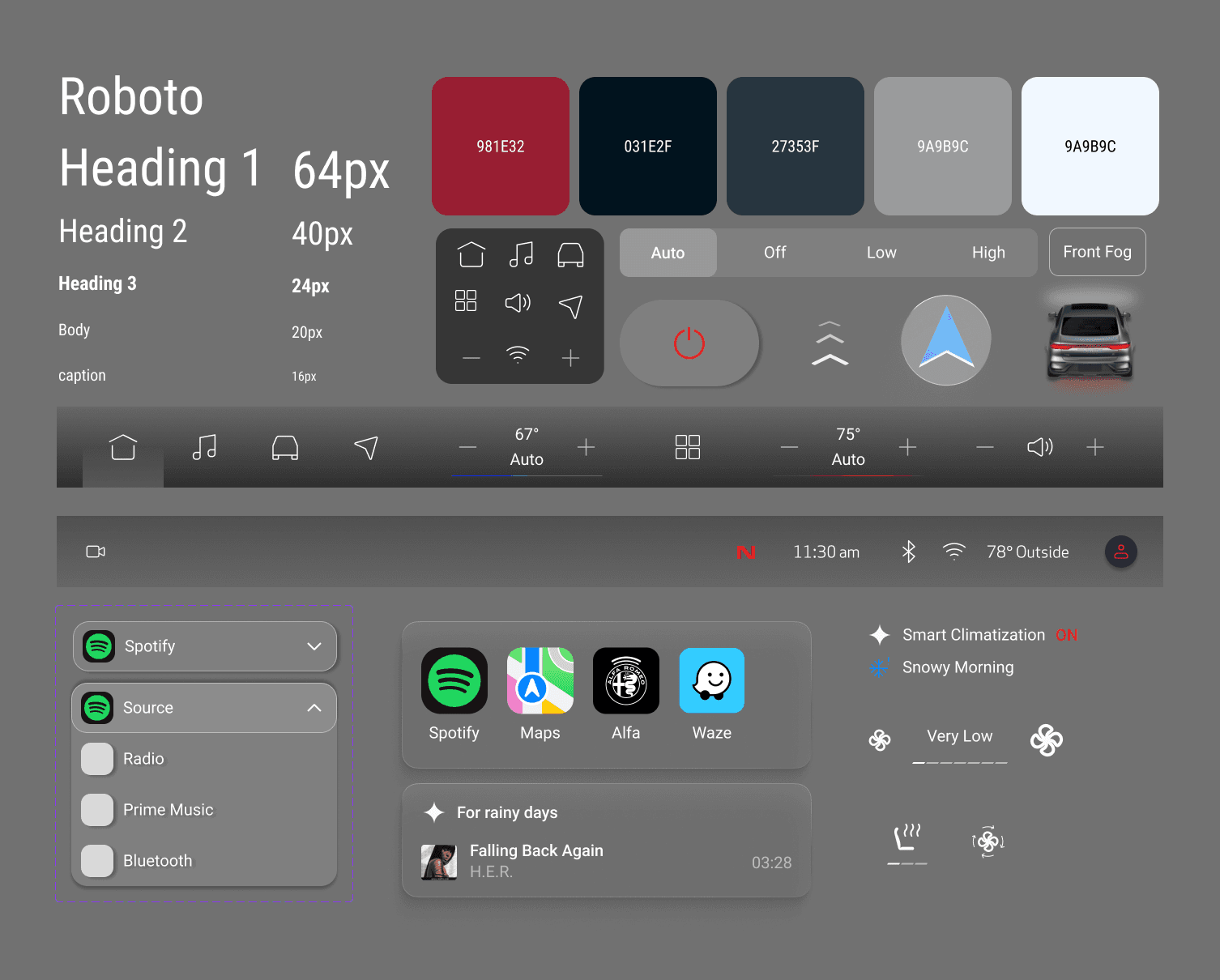
Style Guide
The style guide was established to support clarity and accessibility across the interface, and was refined to align with the brand’s visual language.
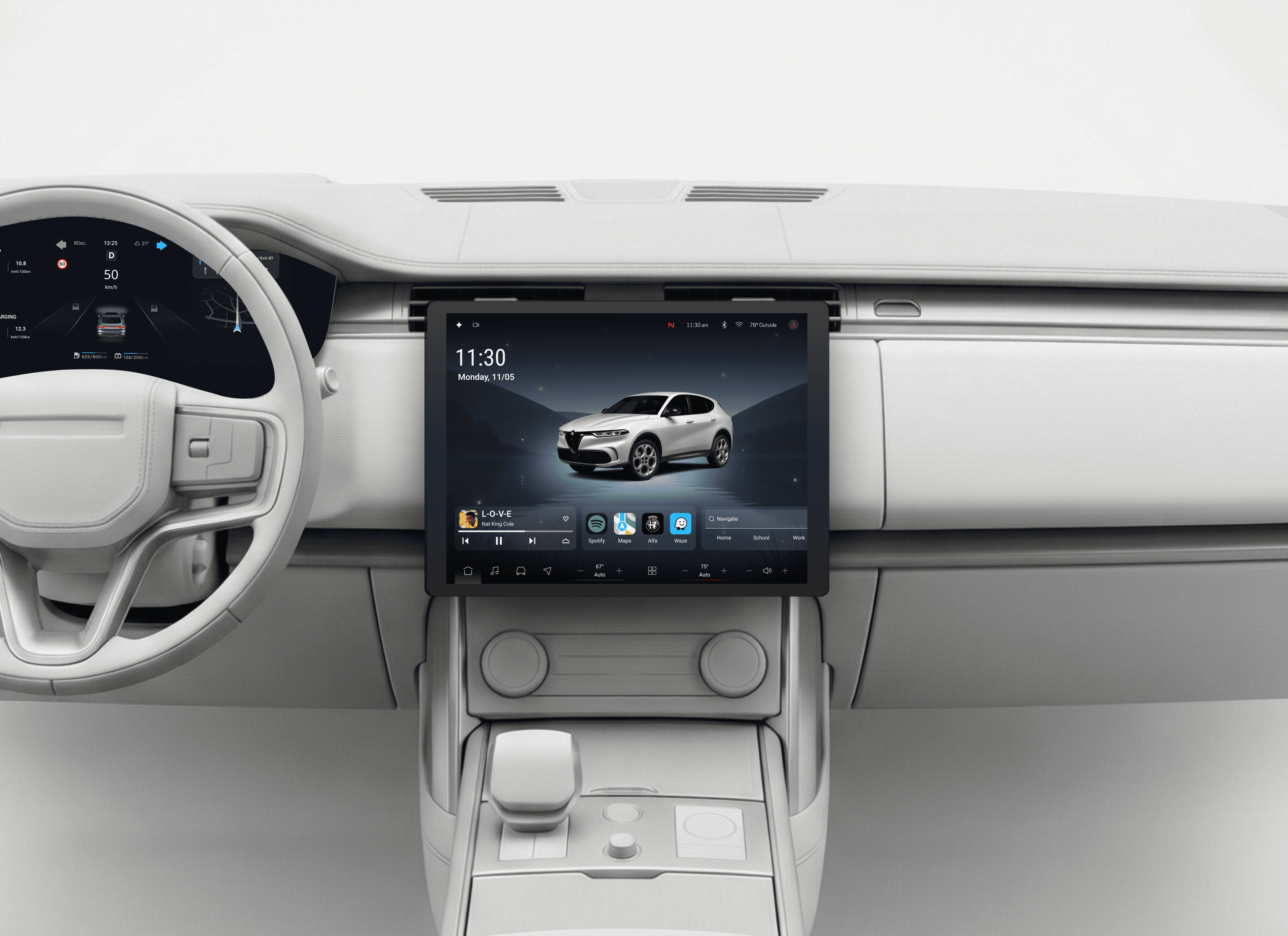
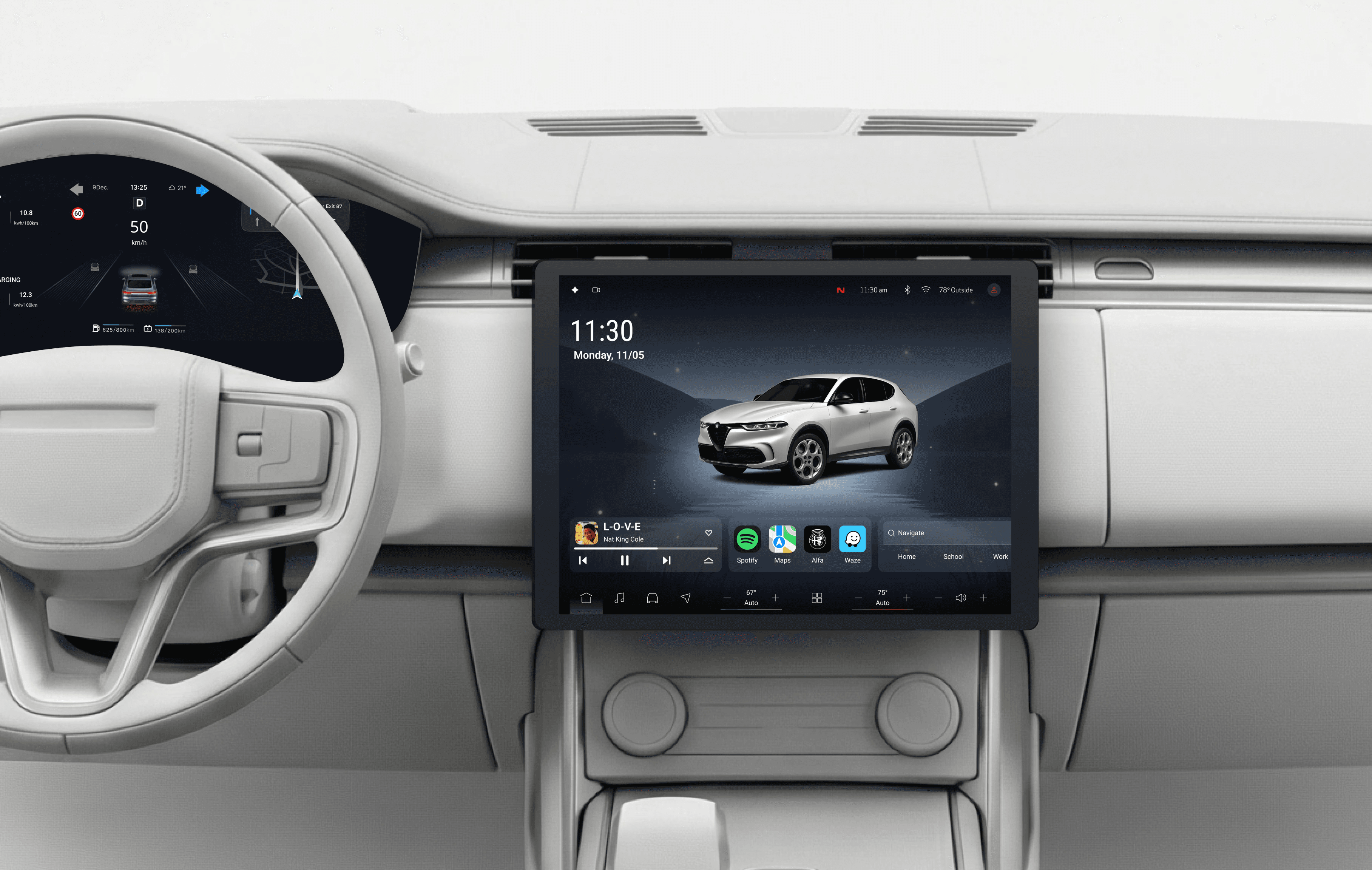
Center Display
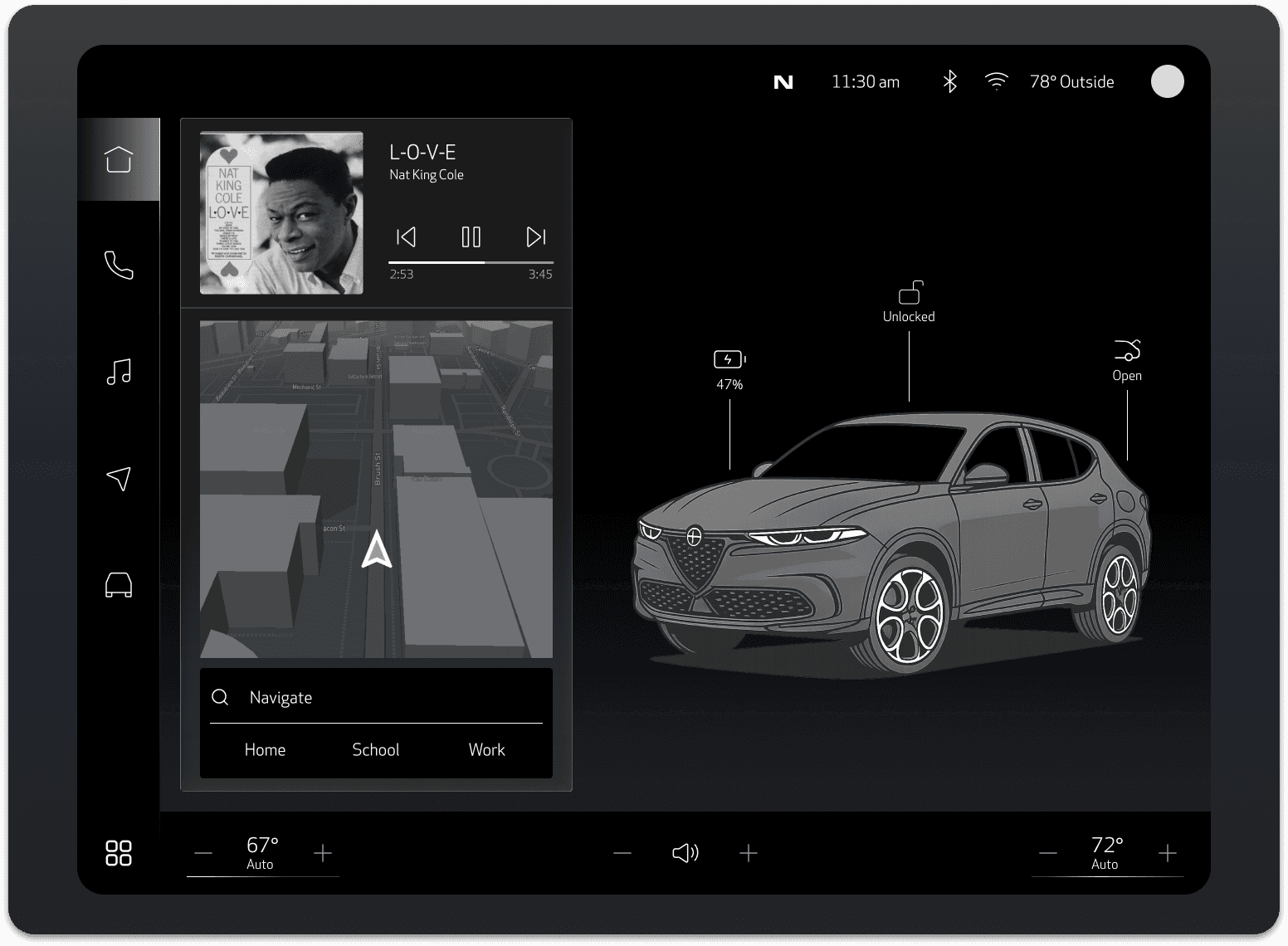
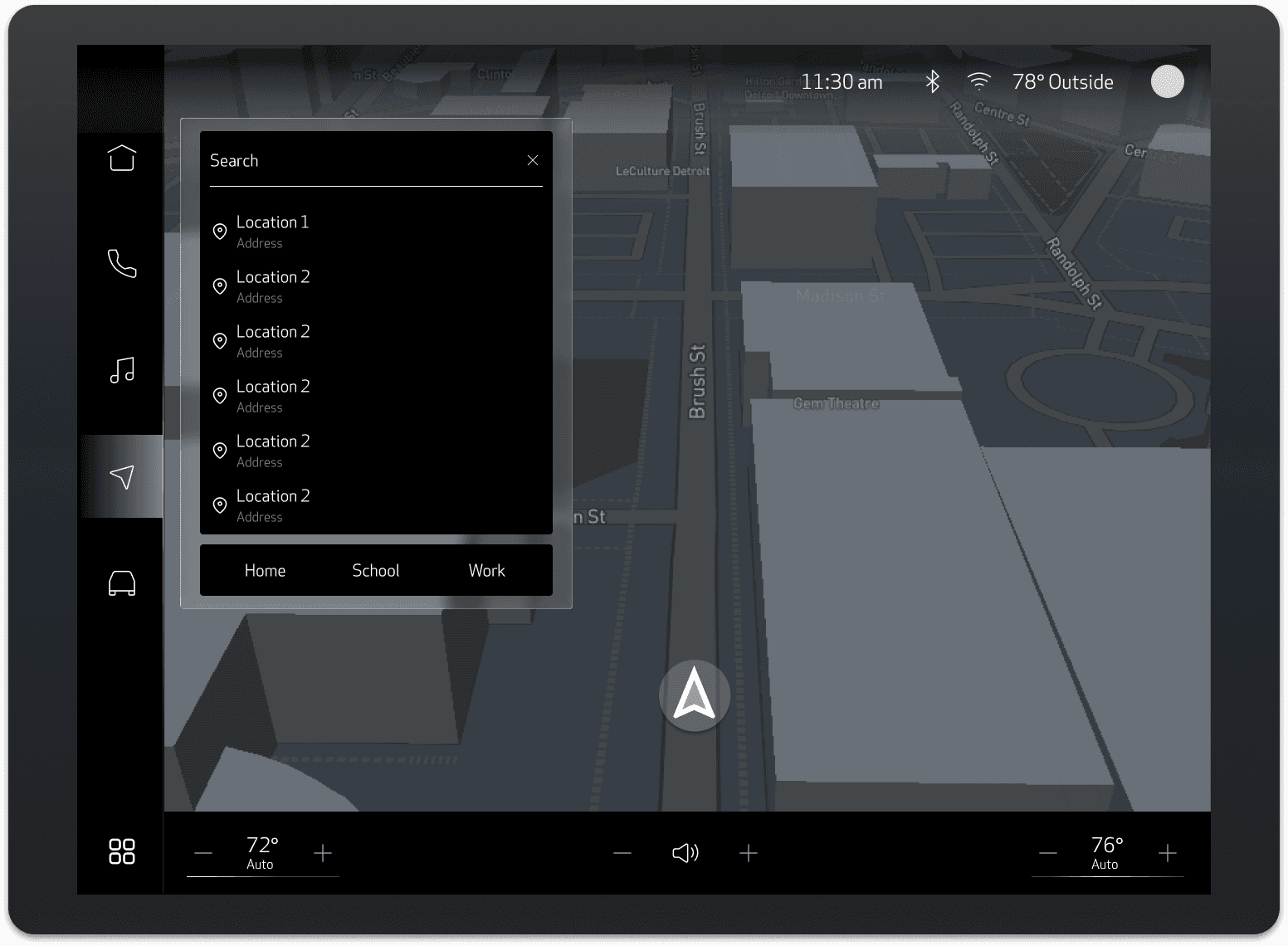
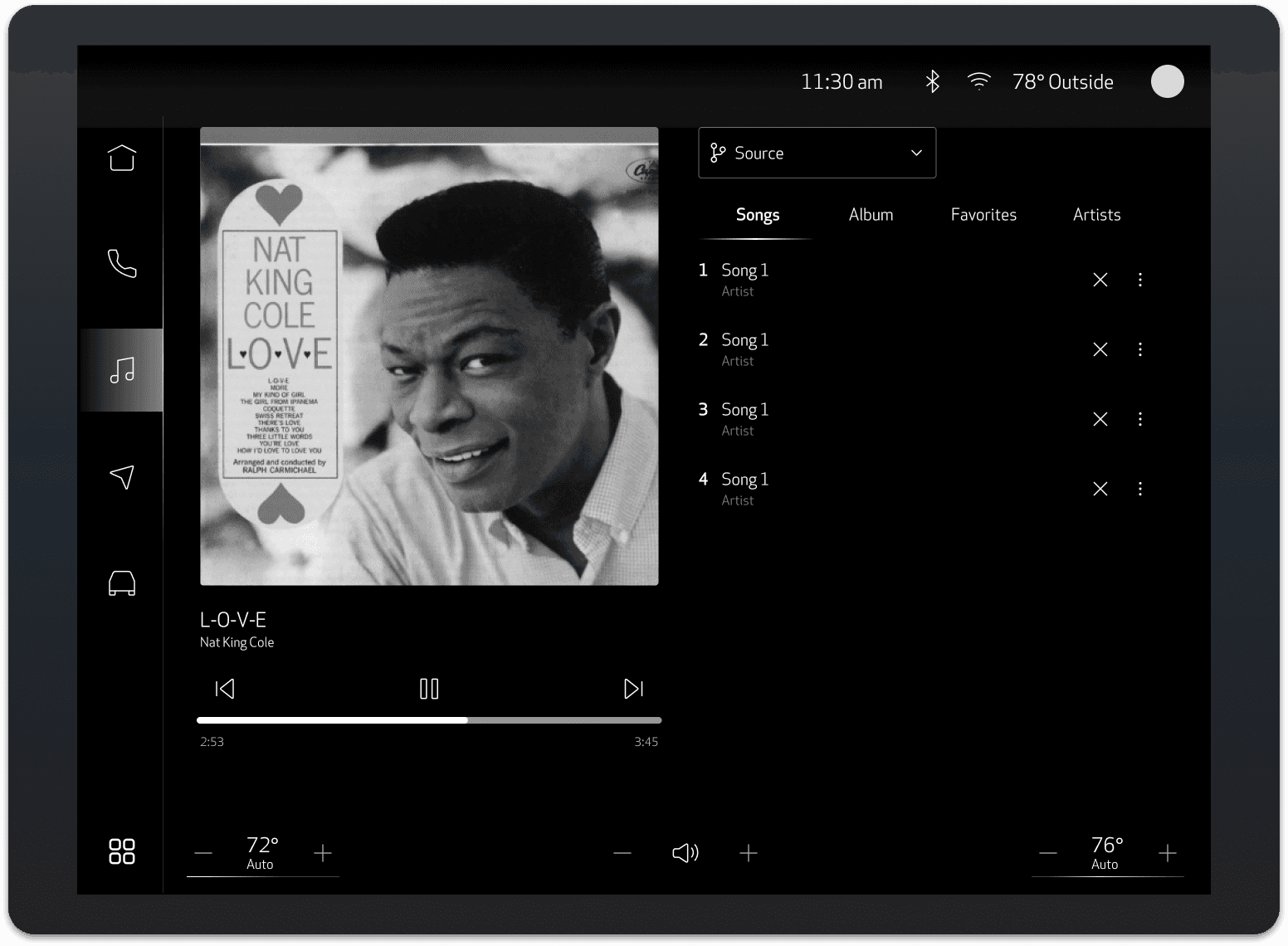
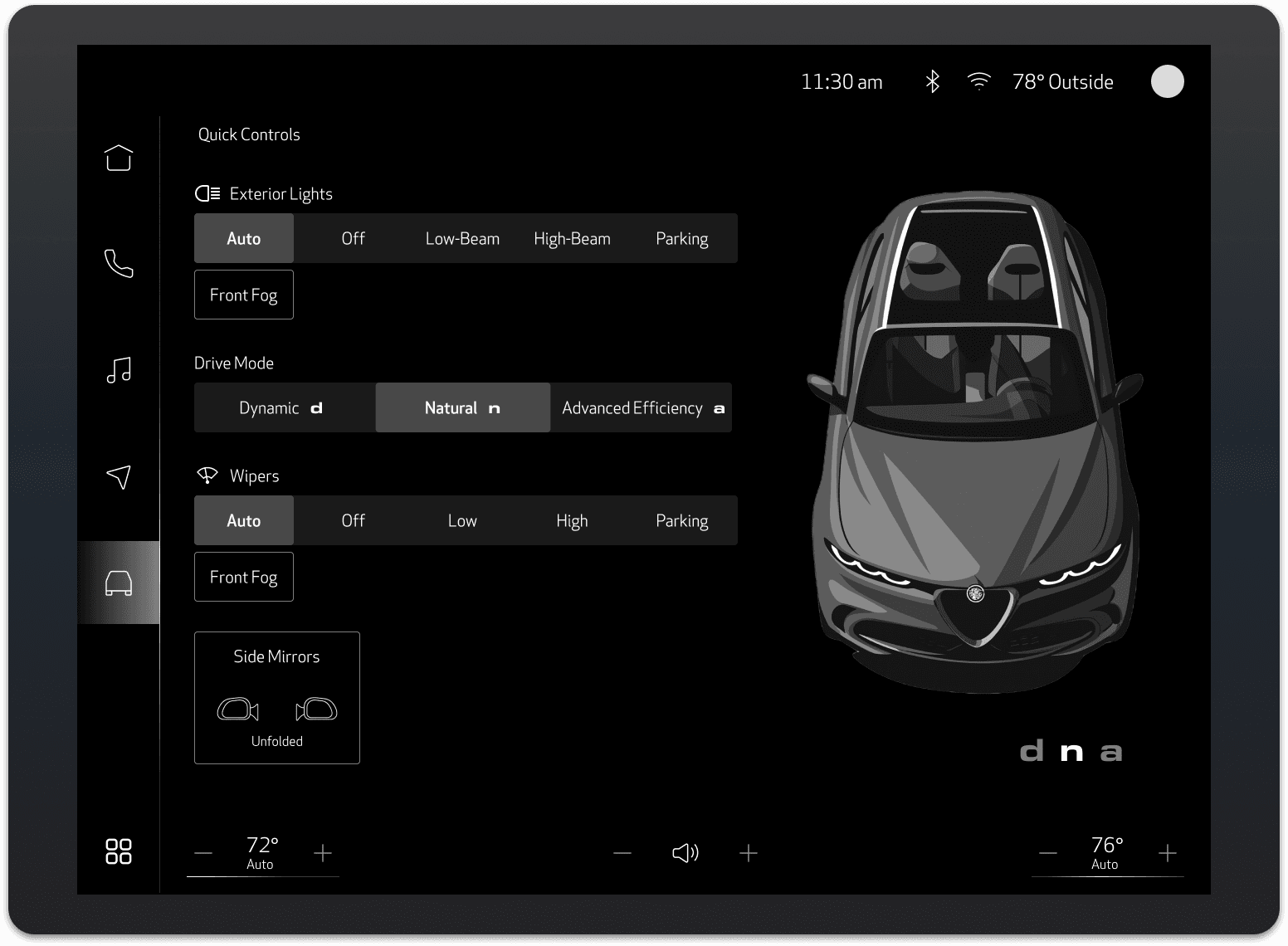
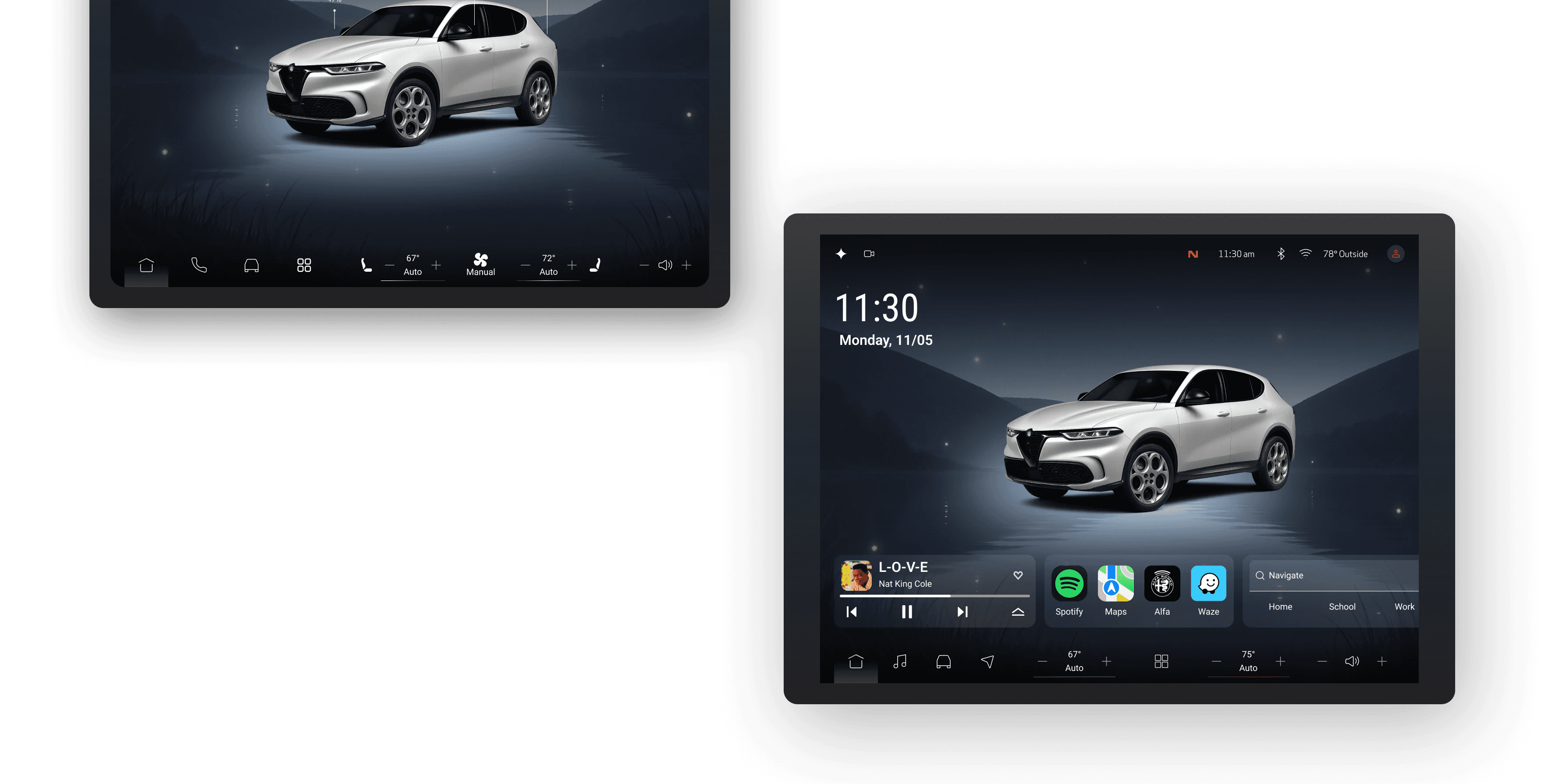
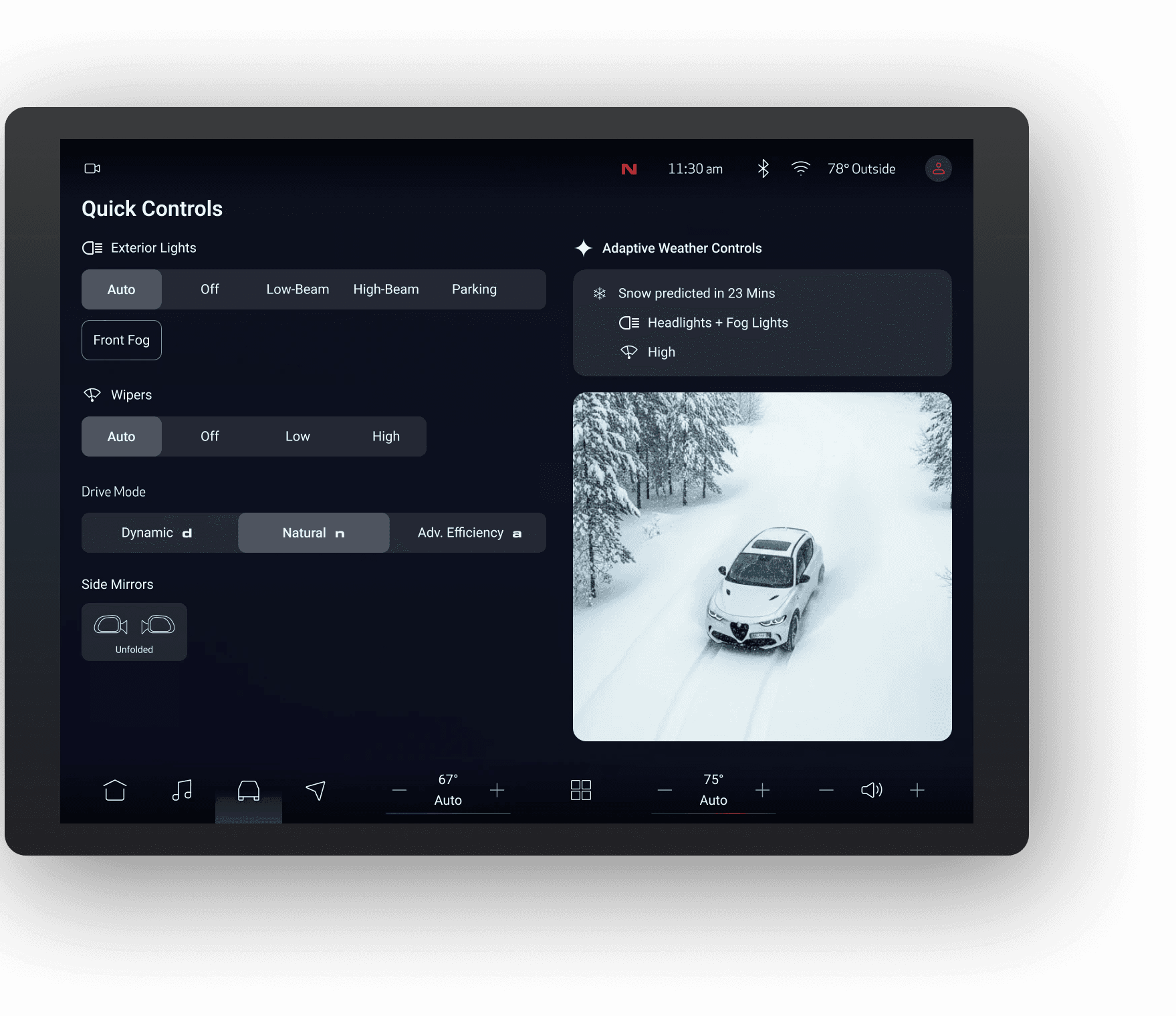
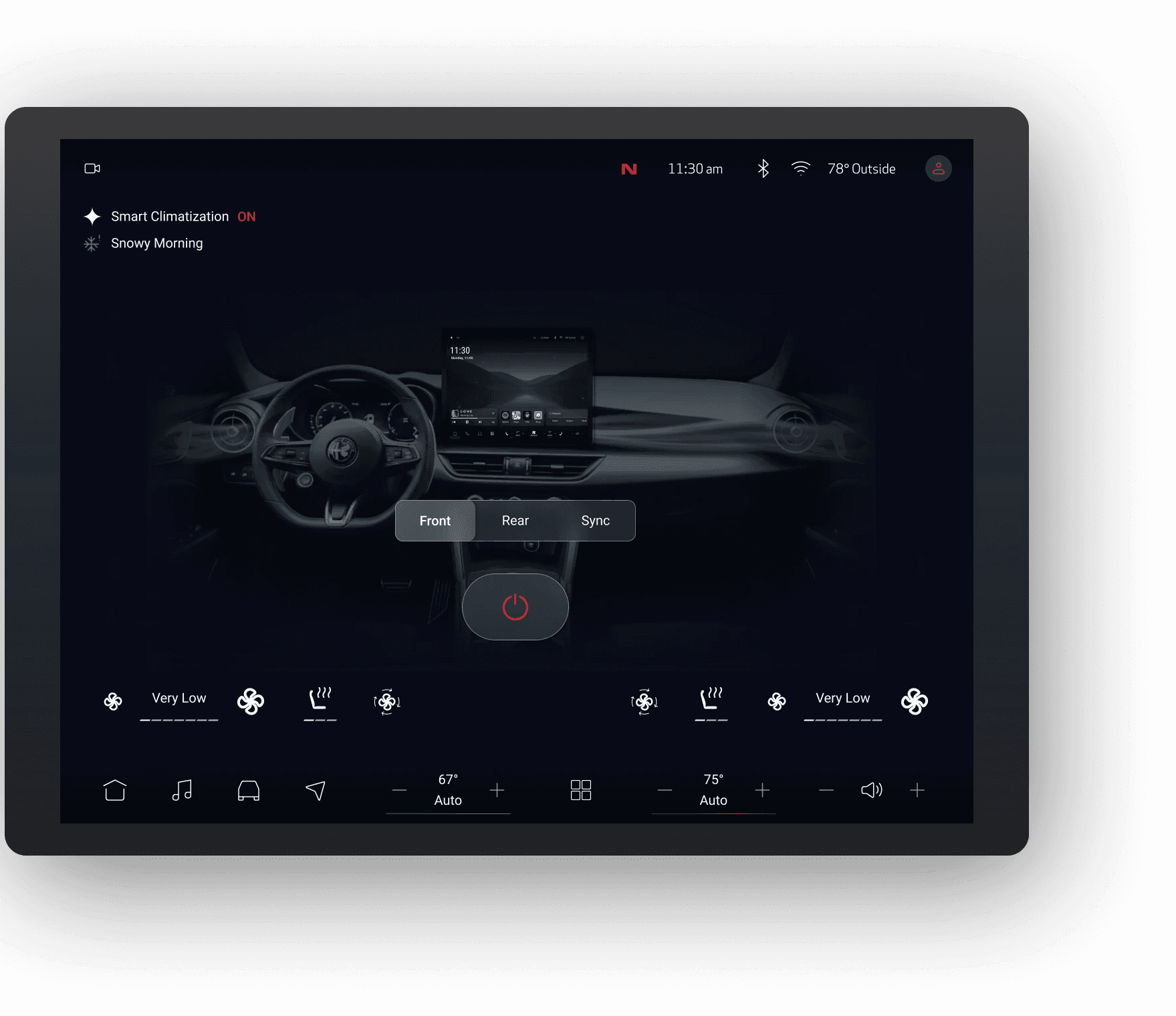
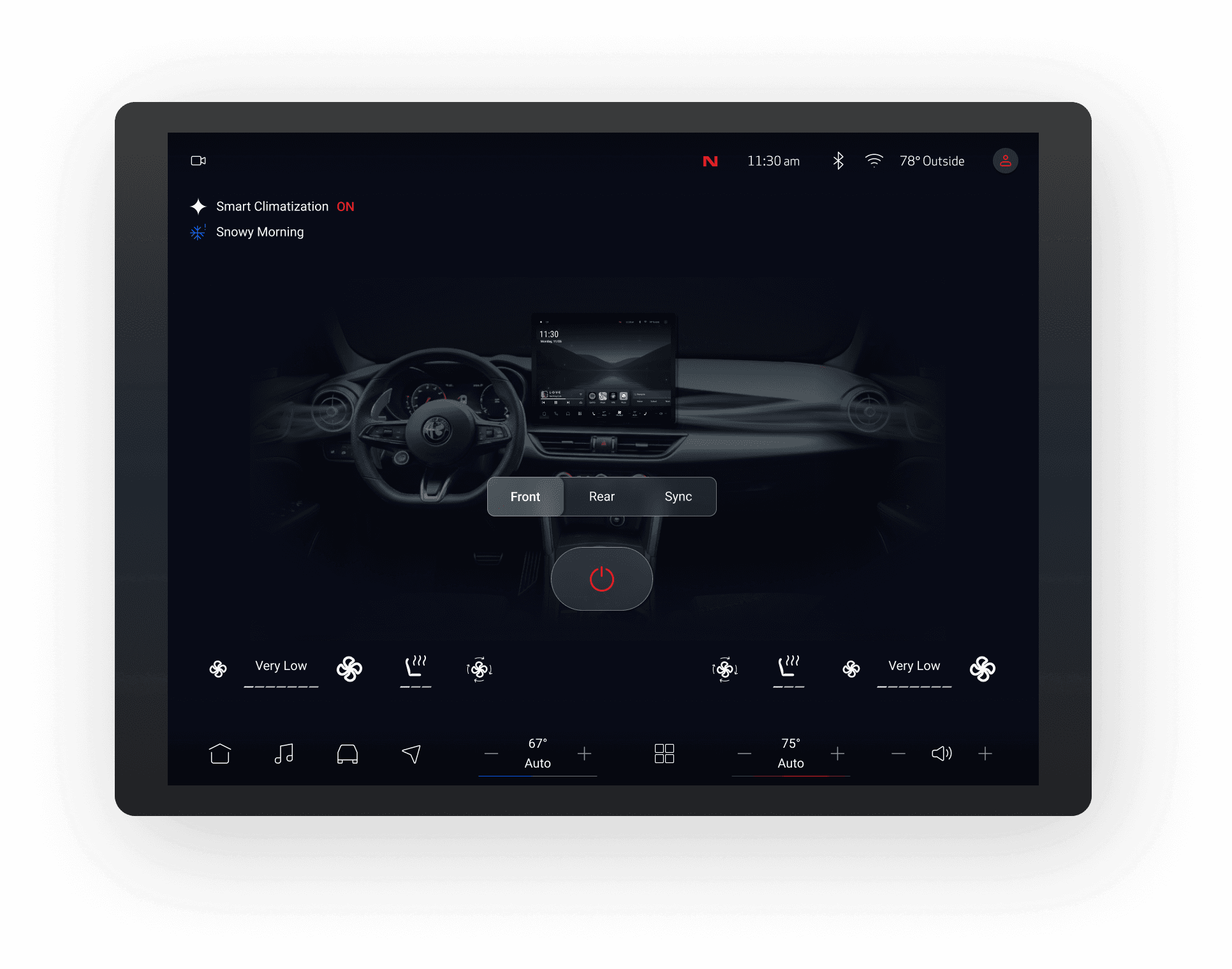
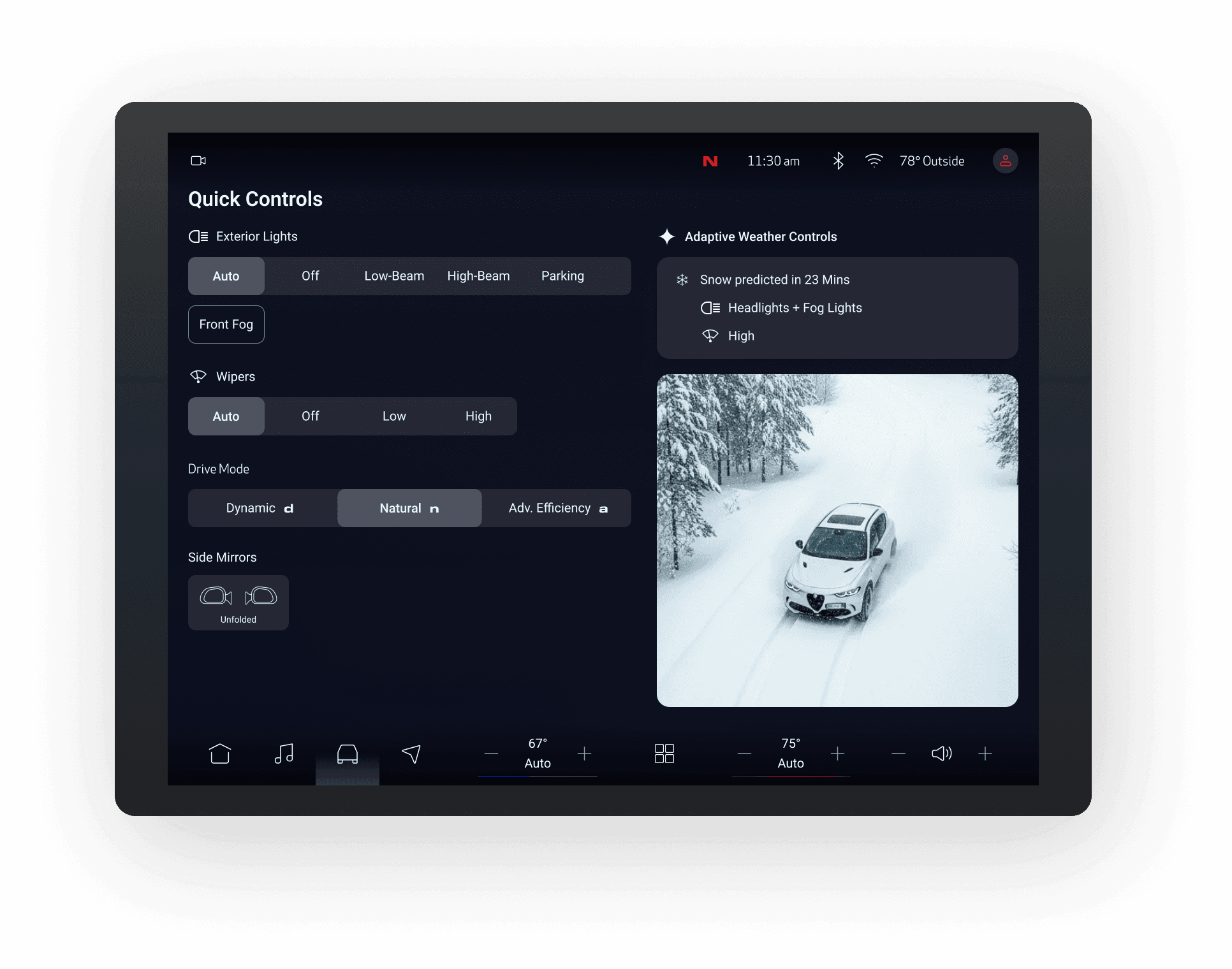
The center display is the larger touchscreen in the middle of the dashboard, used to view and control navigation, media, and vehicle settings. As AI plays a growing role in the automotive industry, the designs also explore AI features in the interface.
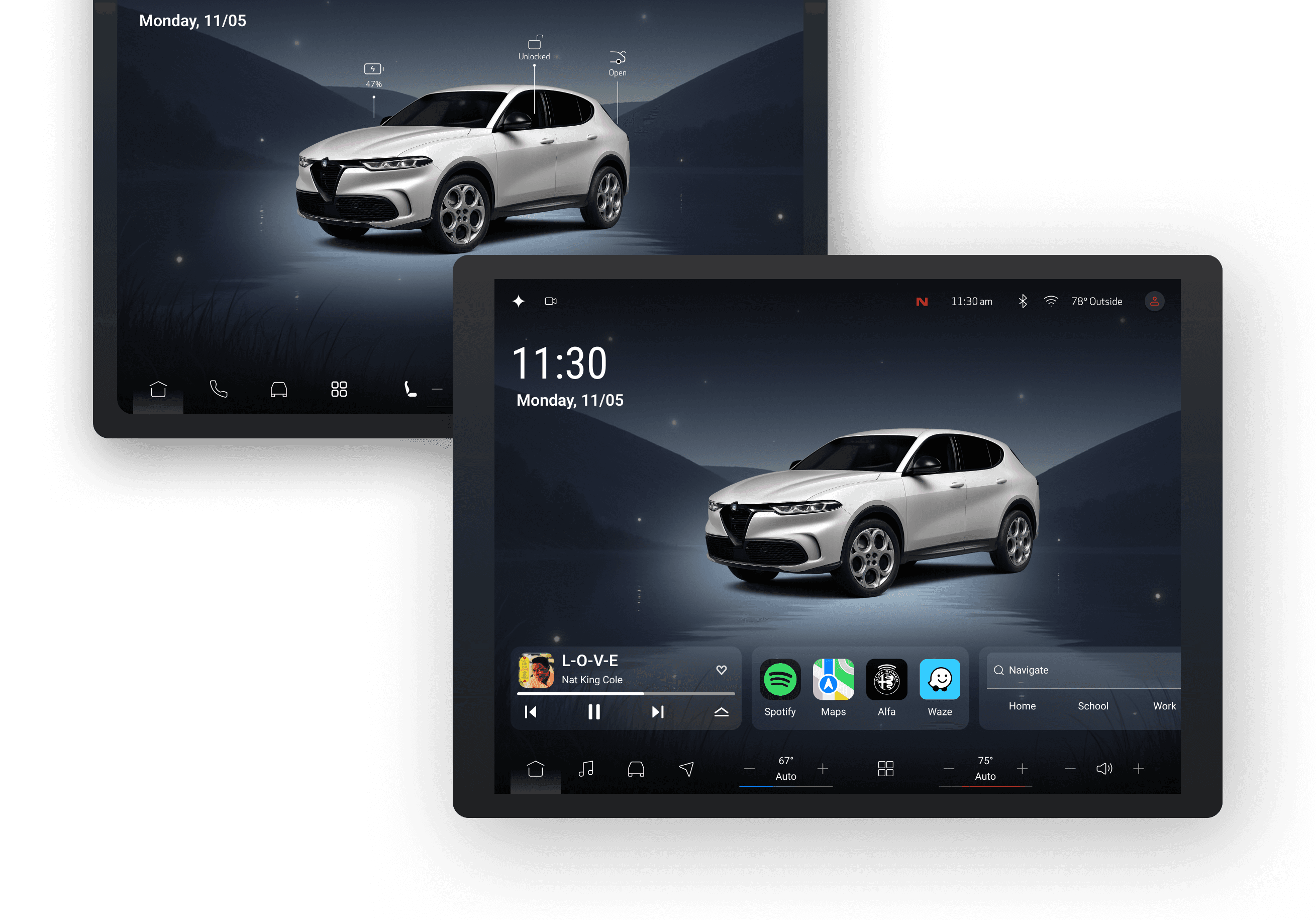
Landing Page
The landing page gives drivers an immediate overview of the system, showing navigation, media, and car status.
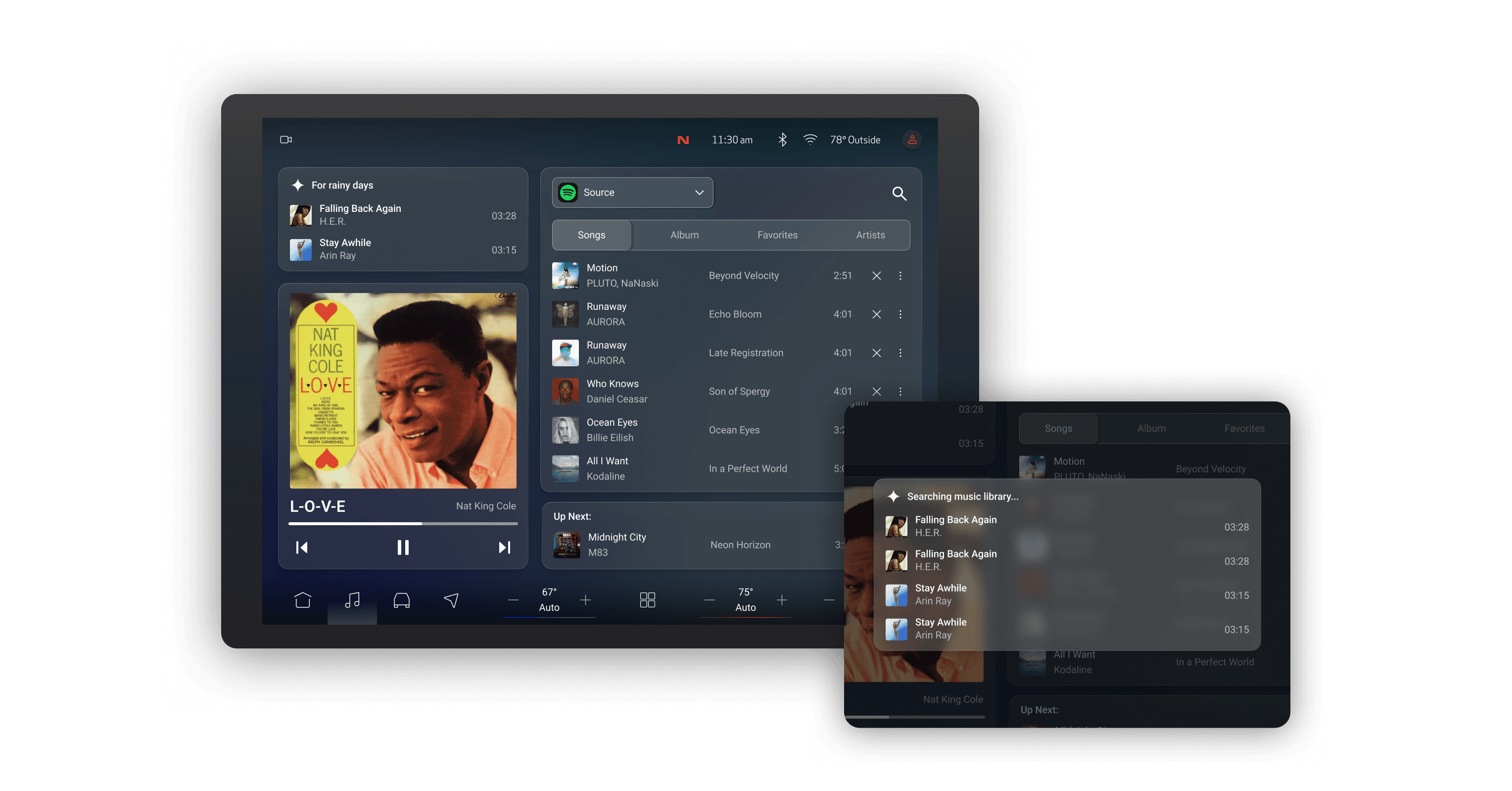
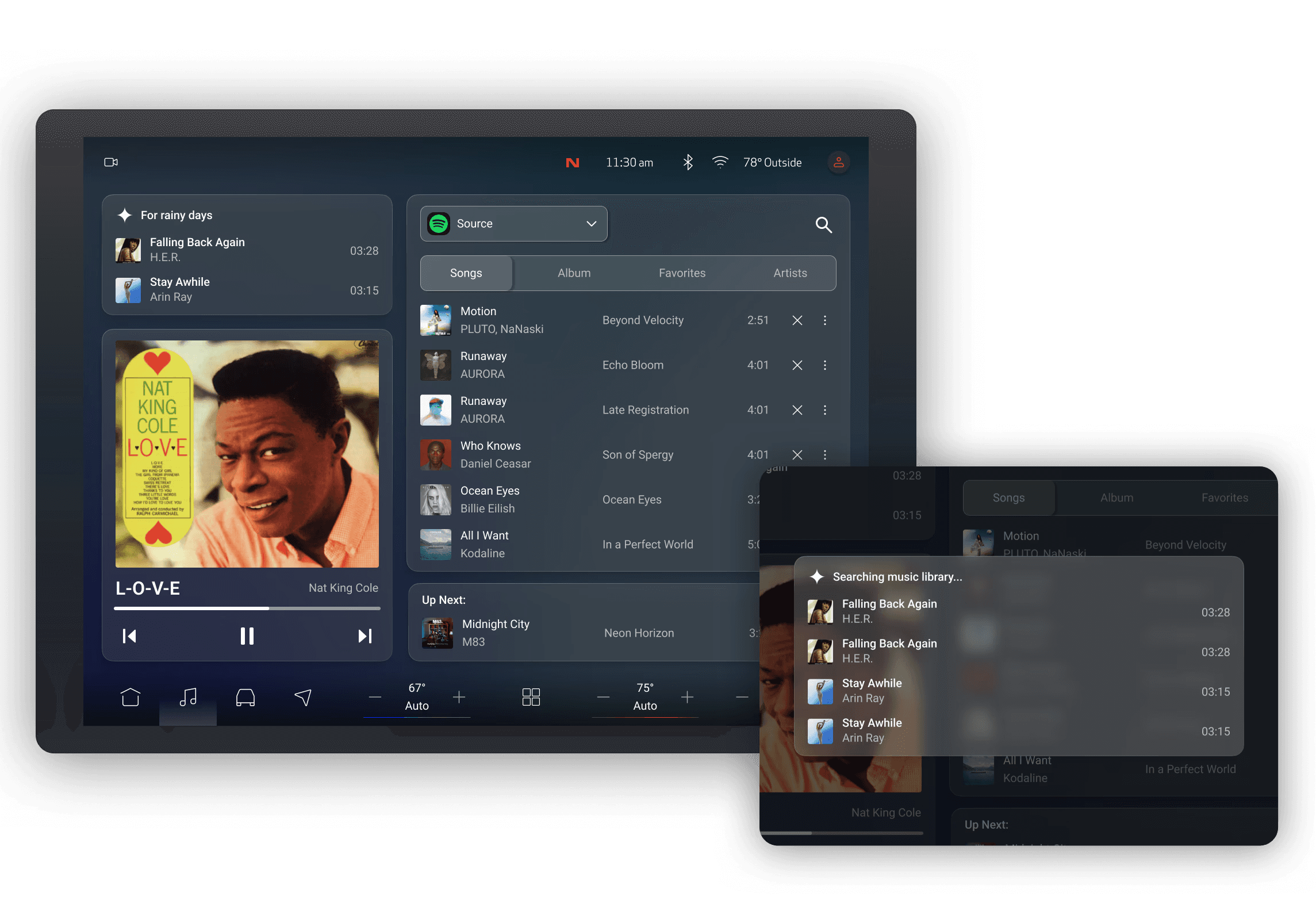
Media Controls
Media controls prioritize playback clarity, with personalized AI infotainment search shown on the right
Navigation
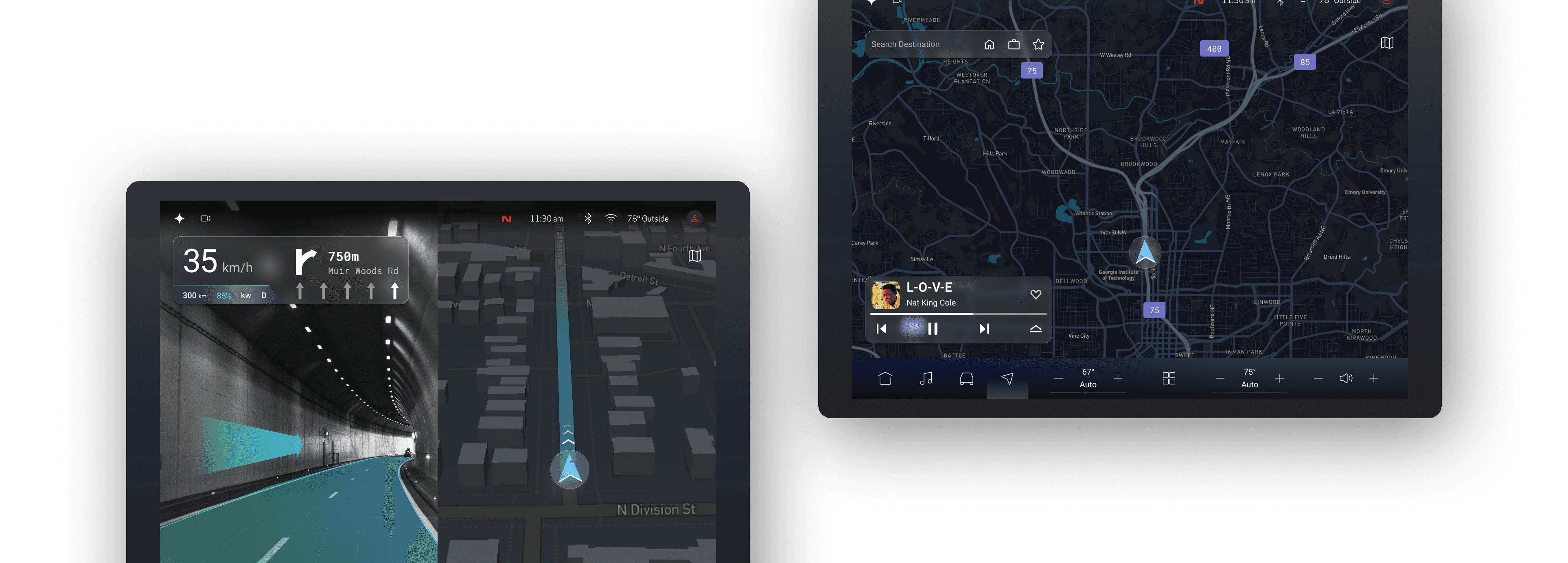
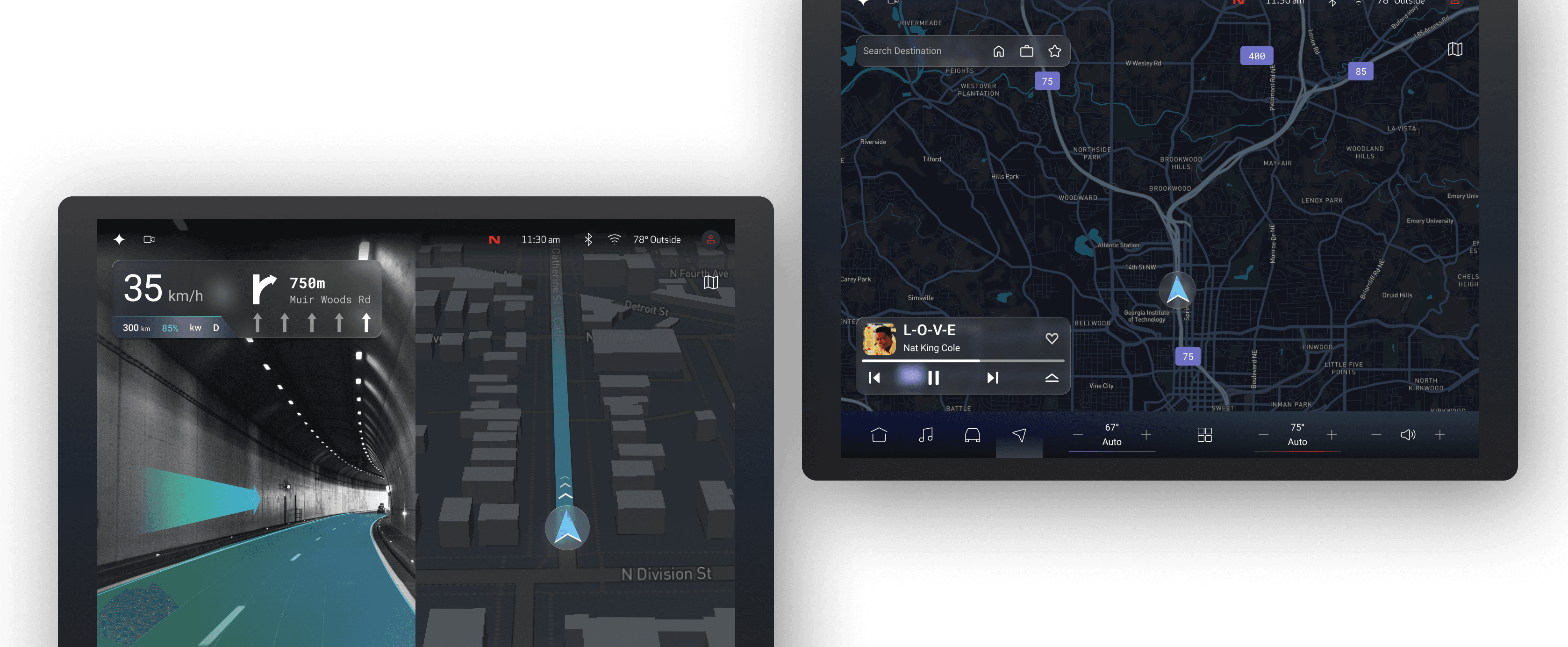
Navigation combines a clear map view with focused turn-by-turn guidance to support situational awareness while driving.
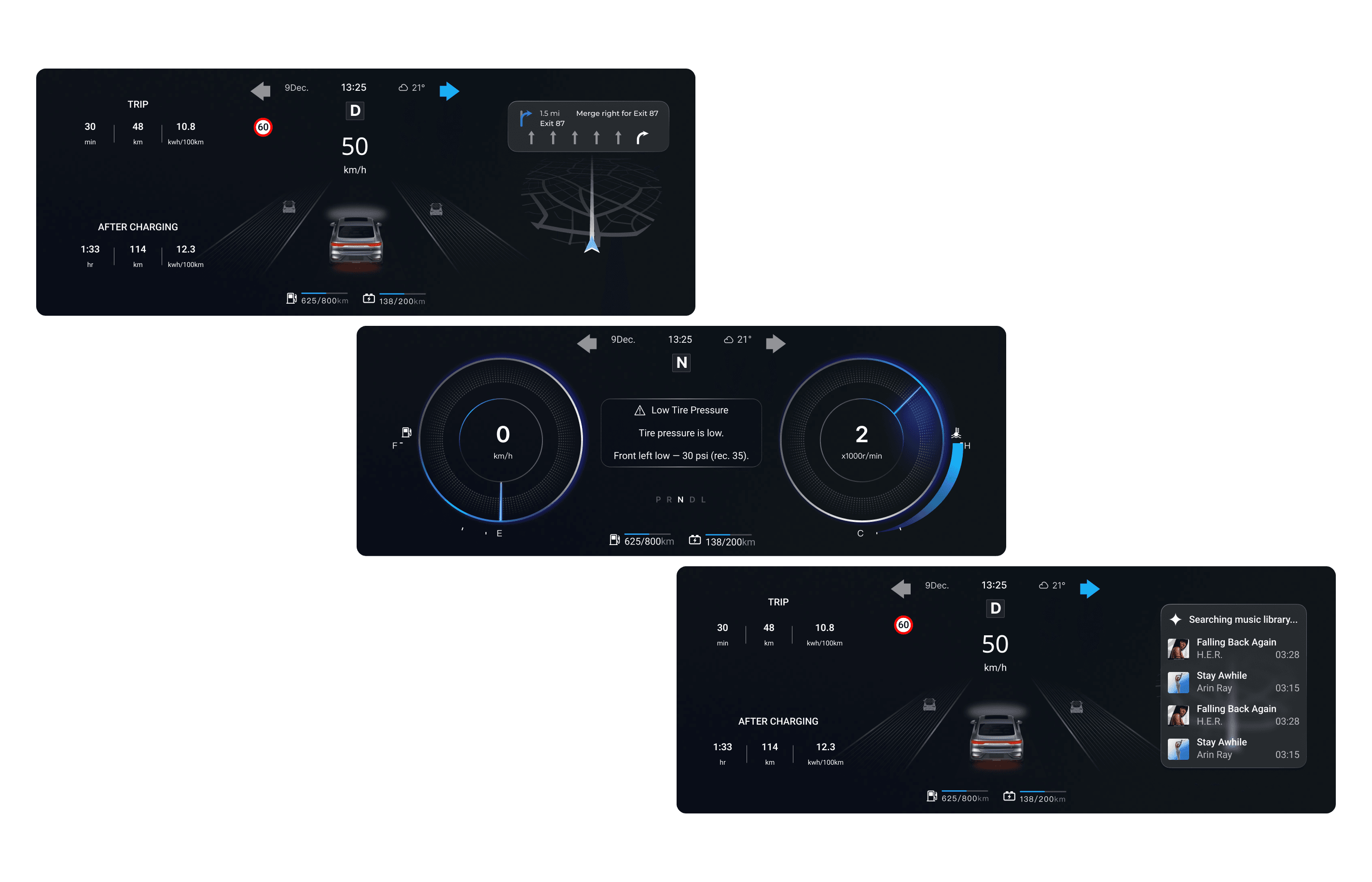
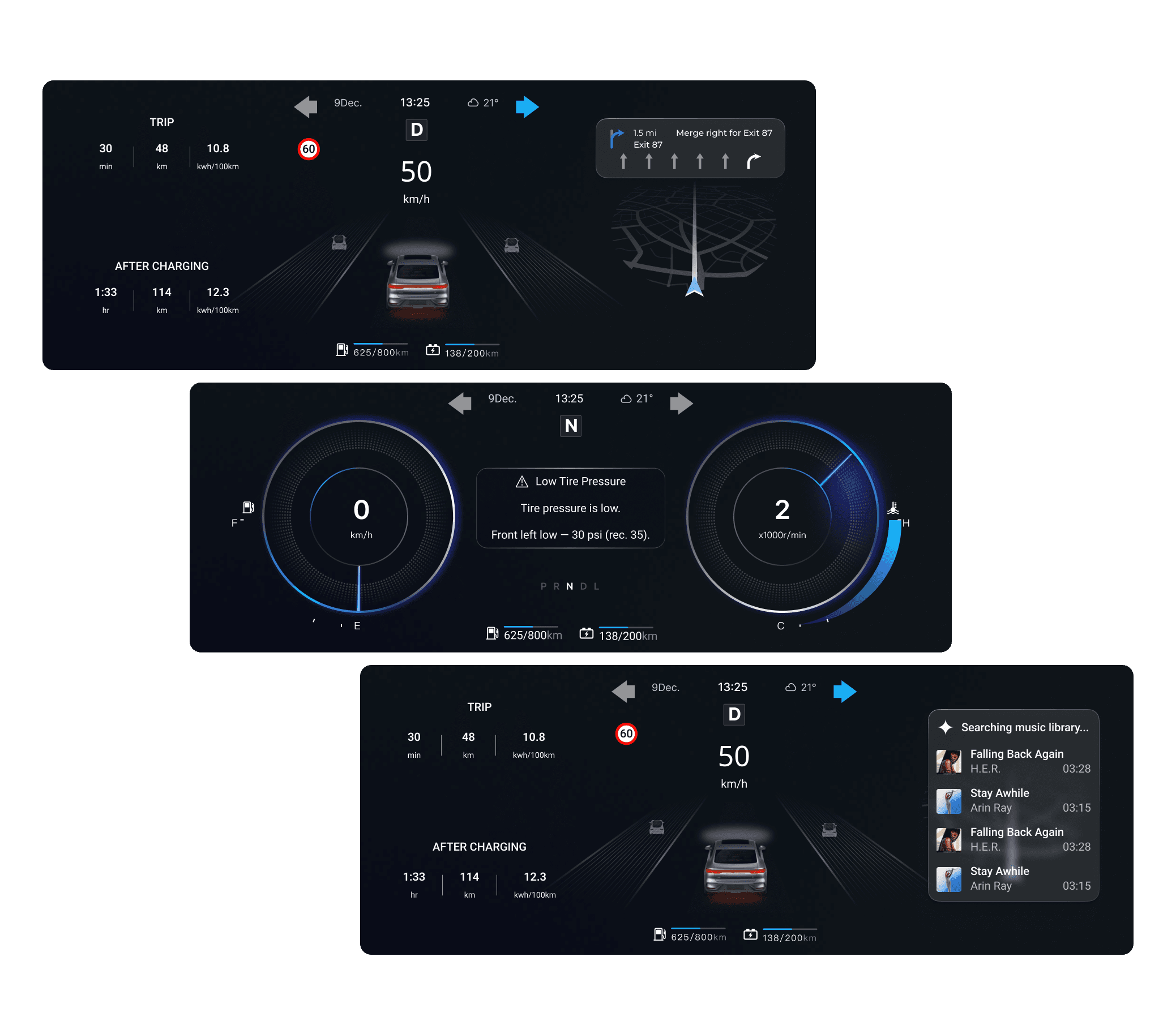
Cluster Display
The cluster is the screen behind the steering wheel that presents essential driving information, such as speed and turn-by-turn directions, designed to remain clear and glanceable while also supporting AI features.